

See the profit and loss of every crop
Mantap works like a point of sale for your farm. For every planting you see what you spent on planting, fertiliser and treatment next to your yield and sales. When your buyer records the sale in Mantap, you confirm the payment or dispute it. Mantap is free.

Free for farmers. Android phones only.
- farmers use Mantap
- 1,000+farmers use Mantap
- in sales recorded in Mantap
- RM3 million+in sales recorded in Mantap
- smallholder farmers, Malaysia
- Sarawaksmallholder farmers, Malaysia
What Mantap does for you
Profit and loss for every crop
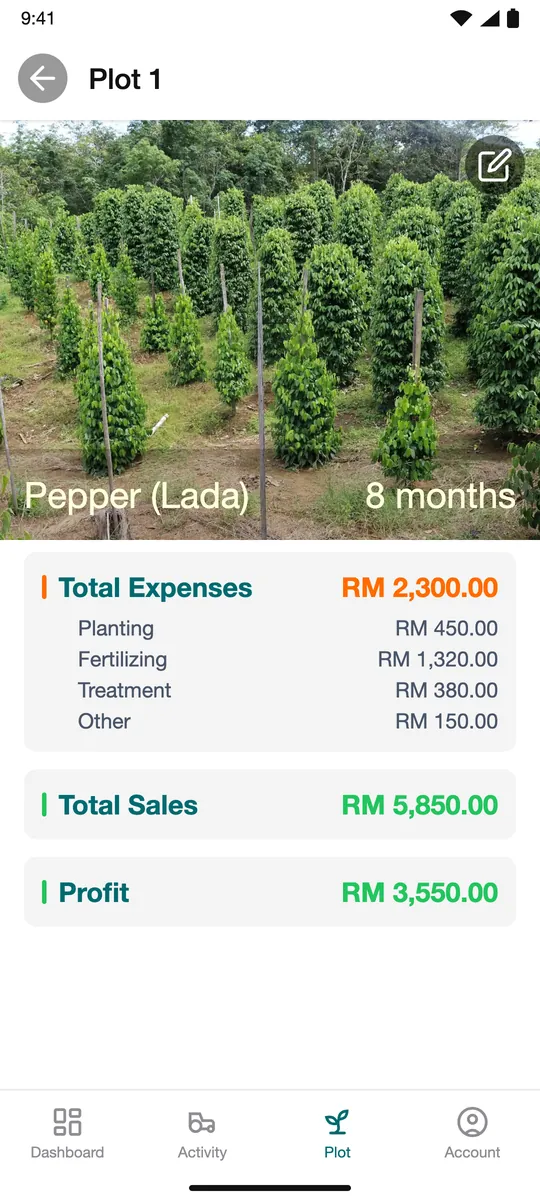
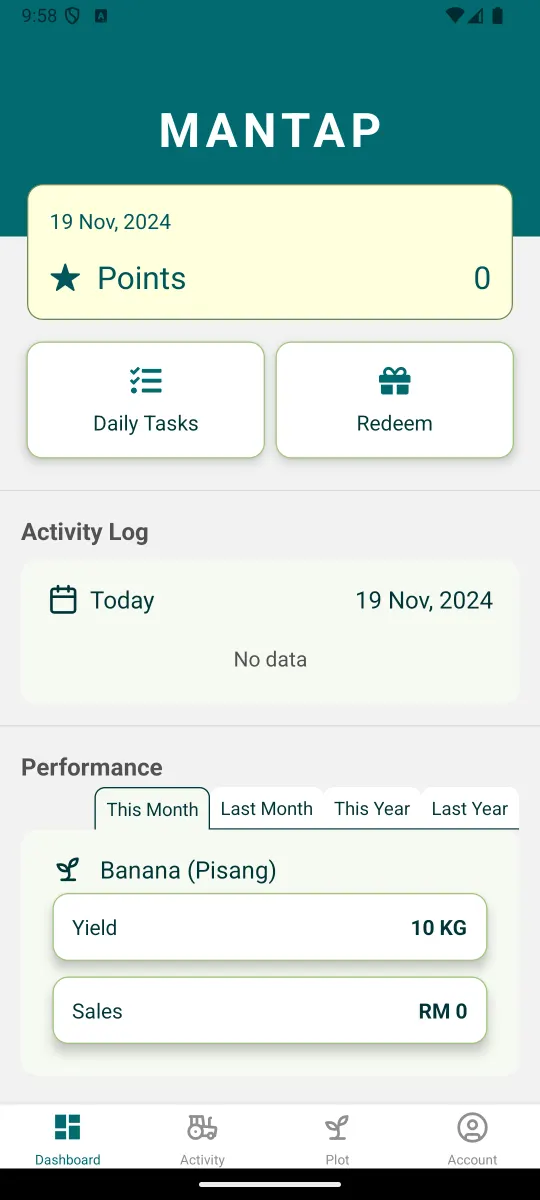
Each planting cycle shows its costs in RM, split into planting, fertilising, treatment and other, next to its yield, sales and profit. The dashboard shows yield and sales by month and year.
Proof you were paid right
When your buyer records the sale and payment in Mantap, you check it. Tap Agree if it is right, or Dispute if it is not.
Know what is left in your store
Inventory shows how much fertiliser and chemical you have left, what you used and when you restocked. Check before you buy more.
Records you do not lose
Paper gets wet, torn or left behind. Mantap keeps your records on its servers, not only on your phone.
Know what was done on each plot
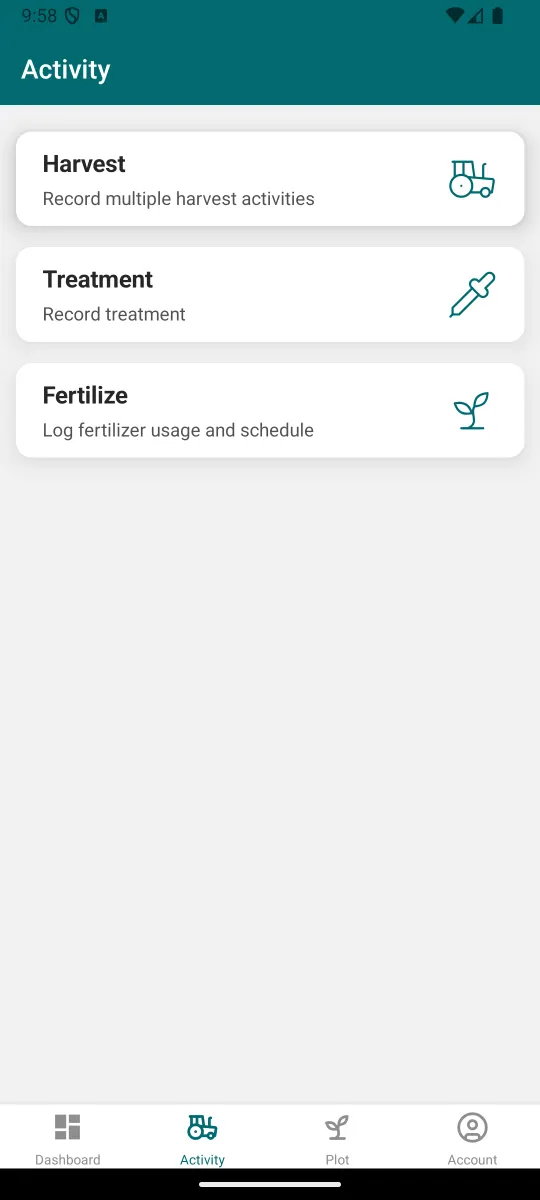
See the last planting, fertilising, treatment and harvest on each plot, with photos.
Points for daily records
Do daily tasks and check in each day to earn points. Redeem points for rewards.
Mantap AI
Ask about your farm, crops, sales and harvests. You can type or speak.
Help inside the app
Send feedback or ask for support from inside the app.
Business profile
Add your registered business or cooperative.
Crops, livestock and fish
Use Mantap for agriculture, livestock and aquaculture.
How to start
- Step 1
Install Mantap
Get Mantap from Google Play on your Android phone.
- Step 2
Sign in with your phone number
Enter your mobile number. We send a code to you by WhatsApp. Enter the code.
- Step 3
Add your plot
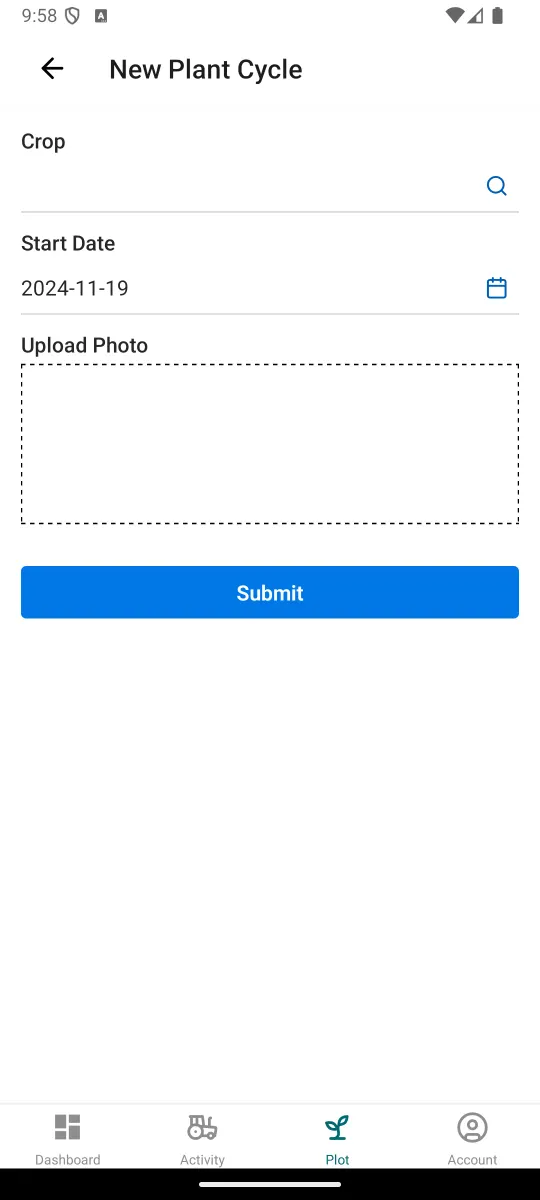
Add your first farm plot and start a planting cycle.
Free for farmers. Android phones only.
Guides
Step by step guides for the main jobs in Mantap.
Questions and answers
Is Mantap free?
Yes. Mantap is free for farmers.
How do I see which crops make money?
Open a plot and its planting cycle. It shows Total Expenses, Total Sales and Profit in RM: green when you make money, orange when you lose. Costs are split into planting, fertilising, treatment and other.
What if my buyer records the wrong payment?
Tap Dispute instead of Agree. The payment is not confirmed.
What if I lose my phone?
Your records are kept on Mantap's servers. Sign in on a new phone with the same mobile number.
Which phones does Mantap work on?
Android phones. Install it from Google Play. There is no iPhone version.
Which languages does the app use?
English, Malay and Chinese.
Is my data shared?
Farmer-level data is shared only with your consent and as set out in the Mantap privacy policy.
How do I delete my account?
Send a deletion request with the account deletion form. We delete the account and its data, then email you the result.
How do I get help?
Use feedback and support inside the app, or send the help form on this site.
Start seeing the profit and loss of every crop
Free for farmers. Android phones only.