
Farm records you do not lose
Paper gets wet, torn or left behind. Mantap keeps your records on its servers. See what was done on each plot and when, and what is left in your store.

Free for farmers. Android phones only.
What you get
Records you do not lose
Your records are kept on Mantap's servers, not only on your phone. Change phones and sign in with the same number.
What was done on each plot, and when
See the last planting, fertilising, treatment and harvest on each plot, with photos.
What is left in your store
Open Inventory to see how much fertiliser or chemical is left. Record what you use and when you restock. Check before you buy more.
How to record
- Step 1
Add a plot
Open Plot and add your farm plot.
- Step 2
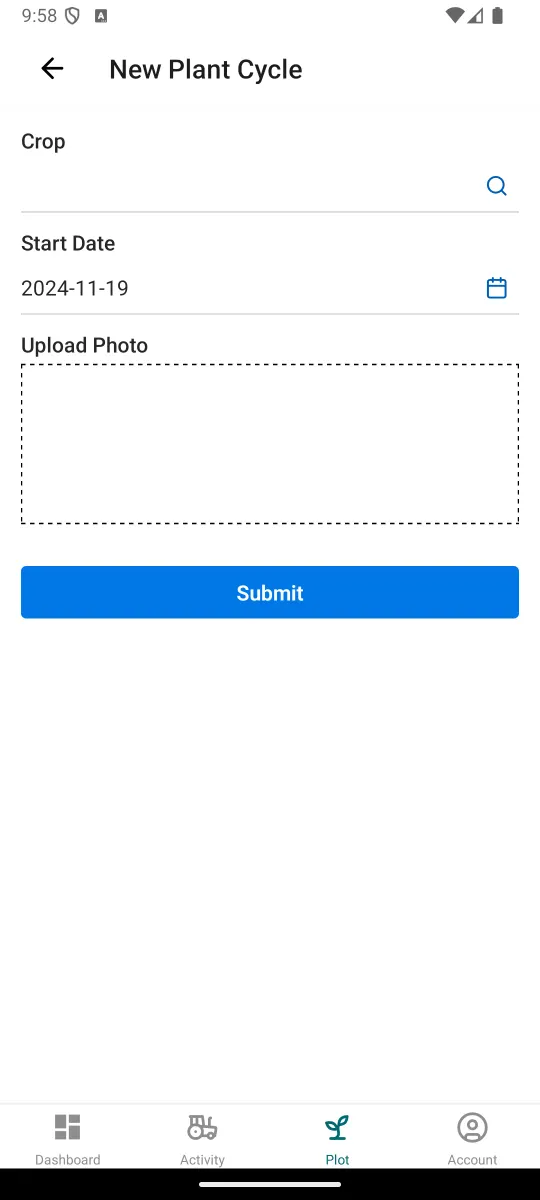
Start a planting cycle
Choose the crop, set the start date and add a photo. Tap Submit.
- Step 3
Record activities
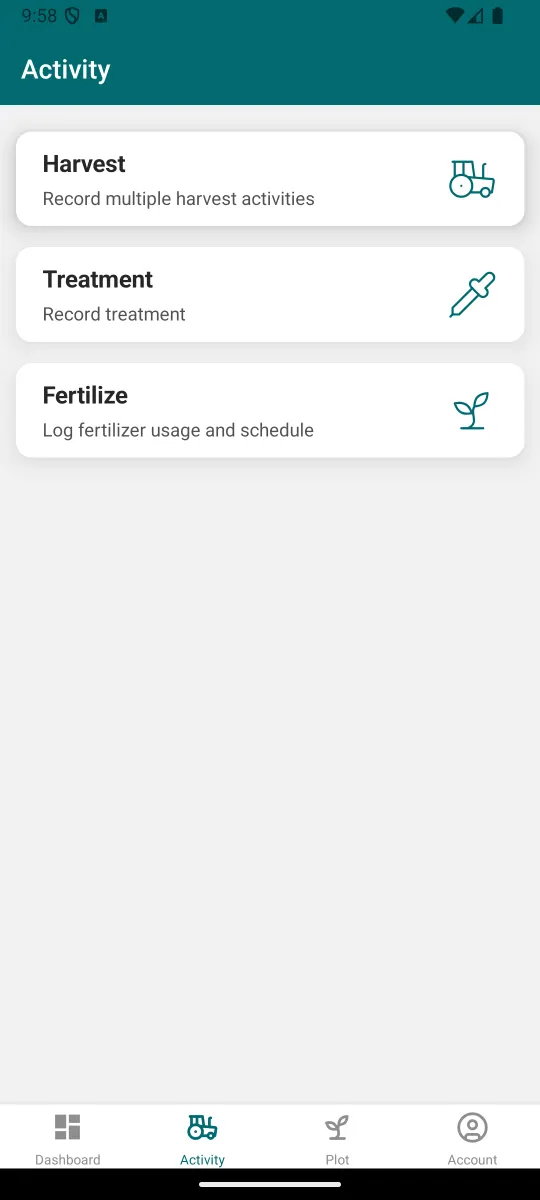
Open Activity. Choose Harvest, Treatment or Fertilize and fill in the record.
- Step 4
Keep your inventory up to date
Open Inventory. Add stock, record what you use and restock.
- Step 5
End the cycle
When the crop is finished, end the cycle and start the next one.
Questions and answers
Can I record more than one harvest?
Yes. The harvest record lets you record multiple harvest activities.
Can I record livestock or fish?
Yes. Mantap covers agriculture, livestock and aquaculture.
Where are my records kept?
On Mantap's servers, not only on your phone.
Can I speak instead of typing?
You can type or speak to Mantap AI. It answers questions about your farm, crops, sales and harvests.
Do I need internet?
Some records need an internet connection to submit, for example treatment records.
Start seeing the profit and loss of every crop
Free for farmers. Android phones only.