
See the profit and loss of every crop
For every planting, Mantap shows what you spent, what you sold and the profit. When your buyer records the sale in Mantap, you confirm the payment or dispute it.

Free for farmers. Android phones only.
What you get
Profit or loss for each planting
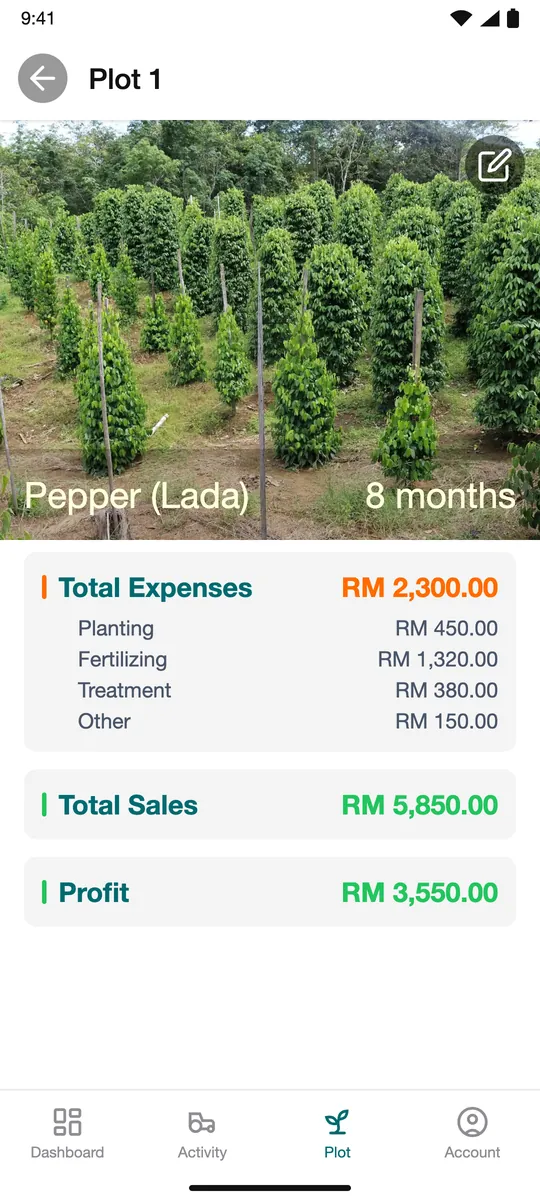
Each planting cycle shows Total Expenses in RM, split into planting, fertilising, treatment and other, next to Total Sales and yield. Mantap takes sales minus costs and shows the Profit: green when you make money, orange when you lose. Compare one crop with another.
Proof you were paid right
When your buyer records the sale and payment in Mantap, check the details. Tap Agree if they are right, or Dispute if they are not.
Sales by month and year
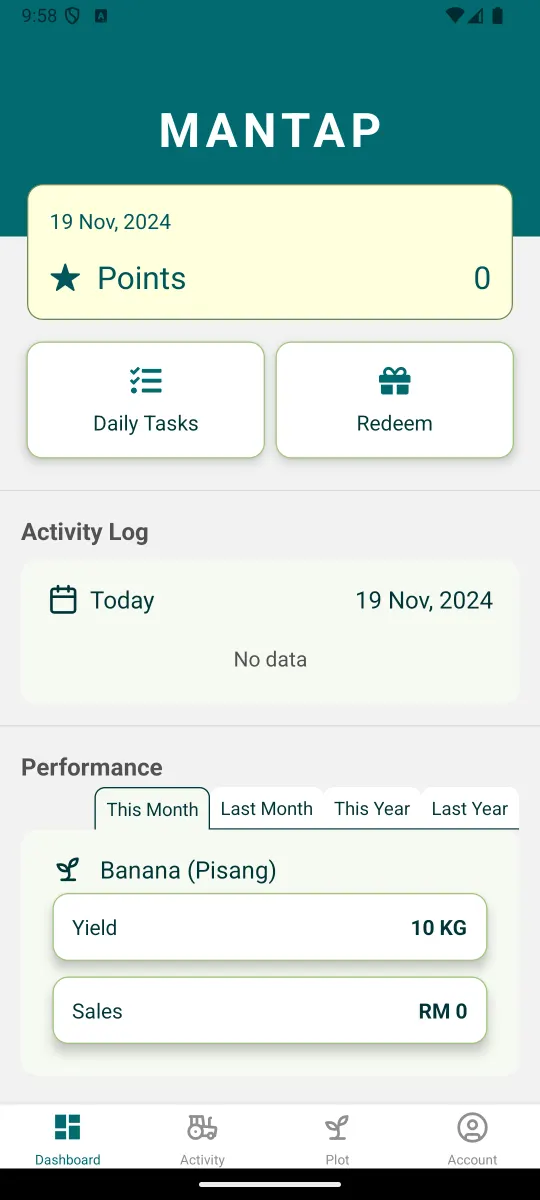
The dashboard shows yield and sales for this month, last month, this year and last year.
How to see your costs and sales
- Step 1
Record costs as you go
Record planting, fertiliser and treatment on the plot when you do them.
- Step 2
Record the sale
Tap Add Sale, or check the sale your buyer recorded in Mantap.
- Step 3
Confirm the payment
When a payment is shown in the app, check the details. Tap Agree if they are correct, or Dispute if they are not.
- Step 4
Compare costs and sales
Open the plot and its planting cycle to see Total Expenses next to Total Sales. Open Dashboard and choose a period under Performance.
Questions and answers
Does Mantap show my profit?
Yes. For each planting cycle Mantap shows Profit in RM: your recorded sales minus your recorded costs. Green means you made money, orange means a loss. It is only as complete as what you record.
What does confirming a payment do?
It records that you received the payment. The app asks you to check the payment details before you agree. If they are wrong, tap Dispute.
Does every buyer use Mantap?
No. When your buyer records the sale in Mantap, you can confirm it. You can also record your own sales.
Where do I see my sales?
On the dashboard, under Performance, by month and by year.
Who can see my sales records?
Farmer-level data is shared only with your consent and as set out in the Mantap privacy policy.
Start seeing the profit and loss of every crop
Free for farmers. Android phones only.